

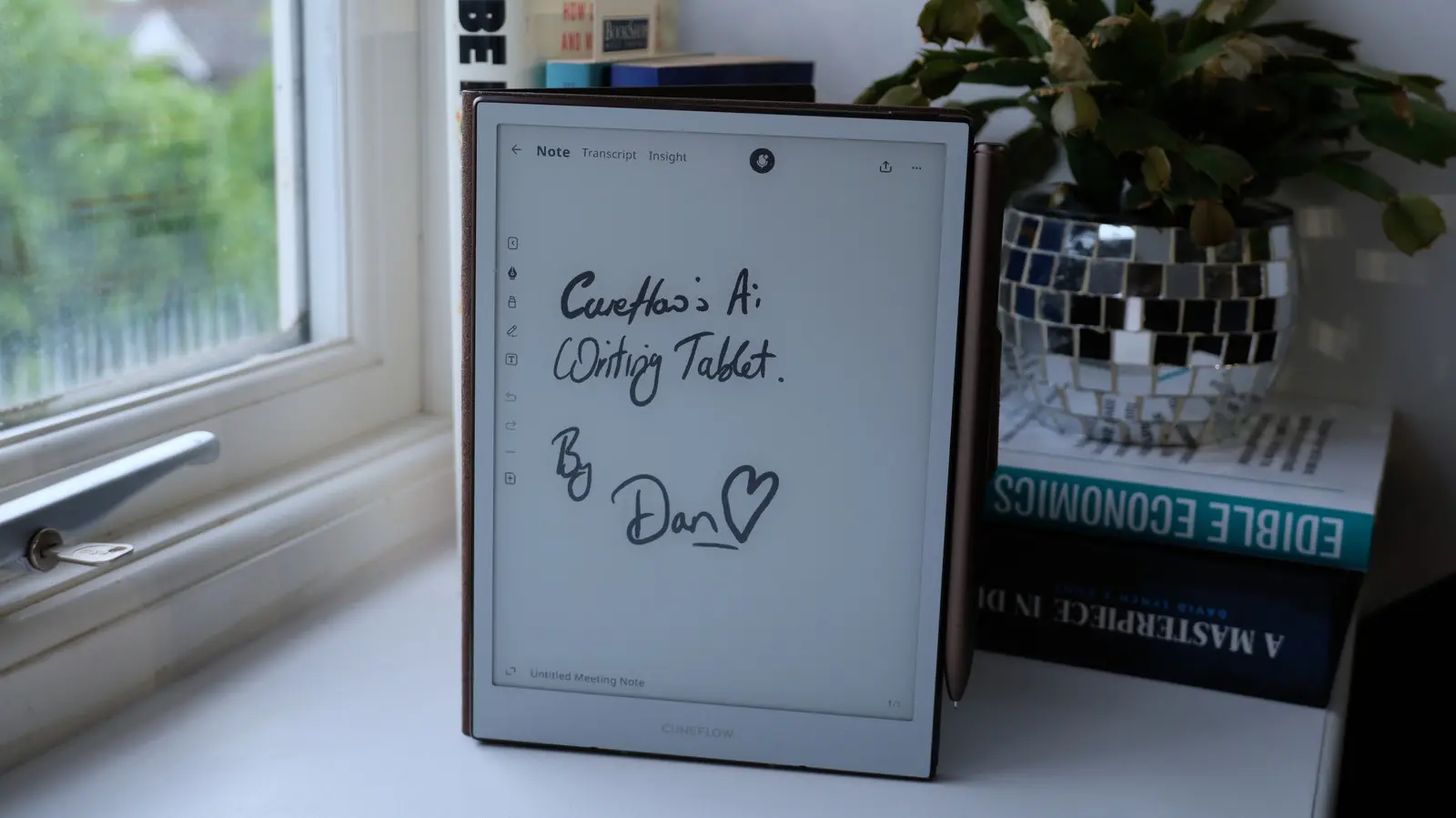
Cuneflow has entered the e-paper tablet market with a device that takes a distinctly different approach from its main competitor, reMarkable. While reMarkable's Paper Pure emphasizes an analog, distraction-free experience and explicitly avoids AI integration, Cuneflow embraces artificial intelligence as a core feature. The tablet includes a built-in voice recorder designed to automatically transcribe meetings and extract actionable insights. Whether this AI-centric philosophy will resonate with business users remains to be seen, especially given some early software shortcomings.
Design and Hardware
The Cuneflow tablet features an 8.2-inch E Ink Carta 1000 display with a resolution of 1920 x 1440 pixels. It is an A5-sized device, making it portable enough to slip into a bag or large pocket. The body is crafted from aluminum, giving it a premium, sturdy feel that inspires confidence. At 230 grams (8.1 ounces), it is slightly heavier than a typical Kindle but still comfortable to hold for extended periods. A 24-level frontlight ensures readability in various lighting conditions, from bright offices to dim conference rooms.
Powering the device is a 2 GHz dual-core ARM system-on-chip, paired with 4 GB of RAM and 128 GB of internal storage. This is ample for storing hundreds of notebooks and documents. The battery is a 2,450 mAh unit rated for seven to eight hours of continuous use, which should cover a full day of meetings. Charging is via USB-C, and the tablet also supports Bluetooth for connecting a keyboard. A fingerprint scanner is embedded in the power button for quick unlocking, and the device includes a magnetic stylus—a passive Wacom EMR pen with a button and eraser tip.
The stylus uses a ceramic nib that writes with a scratchy feel, similar to a fine-point pen on paper. However, the nib is quite thin, and no replacement tips are included in the package. This is a notable oversight, as users will eventually need to replace worn nibs to avoid potential screen scratches. The overall build quality is impressive, with the tablet housed in a brown faux-leather folio that adds a touch of sophistication. The company clearly aimed to create a device that feels premium and professional.
Software and Writing Experience
The operating system on the Cuneflow appears heavily inspired by reMarkable's interface. Notebooks are organized in a sortable two-column list, with separate tabs for Meetings and Files. The latter allows users to store PDFs and EPUBs, which can be transferred via the company's web client. The writing experience is responsive and virtually lag-free, which is essential for a productive note-taking tool. However, the software feels less polished than its rival. The persistence menu bar offers only two tools: a pen and a highlighter. The highlighter, even on its lowest setting, can obscure handwriting. Adjusting pen weight requires diving into a swipe-down menu, which is not as intuitive as it could be.
Each Meeting notebook provides a blank canvas for handwritten notes. The ceramix stylus nib is thin and provides good resistance, but the lack of replacement tips remains a concern. Unlike the Kindle Scribe or reMarkable, the Cuneflow does not include a dedicated eraser on the back of the stylus, relying instead on a button. Overall, the note-taking experience is functional but not as refined as the competition. The device also supports typing via a Bluetooth keyboard, though this implementation is clumsy: users must open a text box inside a document and manually expand it to accommodate longer entries. There is no auto-growing text box, and the display cannot be oriented to landscape mode, which limits typing comfort.
AI Transcription Features
The standout feature of the Cuneflow is its AI-powered recording and transcription capability. Each notebook includes a microphone icon. Tapping it starts recording the conversation, with a flashing red LED next to the USB port indicating active recording. The audio is encrypted and sent to the cloud for processing, where tools like OpenAI and Gemini are used to generate a transcript and insights. Importantly, the company claims that once the transcription is complete, the raw audio is deleted from its servers, leaving only the AI-generated text. This approach addresses privacy concerns, though it also means users cannot refer back to the original recording for verification.
After a meeting ends, users must wait a minute or two for the AI to process the conversation. The results appear in a new tab, which includes a summary, timeline of key points, a to-do list, and more granular insights such as disagreements, key questions, and potential risks. Each insight is linked to the specific part of the transcript from which it was derived, allowing users to verify the accuracy of the AI's conclusions. This is a useful feature for maintaining trust in the system, especially given that AI transcription can occasionally hallucinate or misinterpret phrases.
During testing, the transcription performed reasonably well but struggled with less common terms. For example, "Phoenix Corporation" was correctly transcribed once but was then misspelled as "Felix Corporation" in another instance. This highlights the current limitations of AI-based transcription. The system is best suited for general business conversations where small errors are acceptable, rather than high-stakes environments like legal or medical meetings where absolute precision is required.
Security-conscious users will appreciate the encryption and deletion of raw audio, but as with any cloud-dependent service, there is always an element of trust involved. The company emphasizes that the audio is not stored permanently, and only the transcript remains on the device and in the user's Cunespace web portal. However, users should be aware that the AI models themselves may process data through third-party services, which could raise compliance concerns for some organizations.
Limitations and Ecosystem
Despite its innovative core feature, the Cuneflow suffers from fragmentation in its software. The AI-generated to-do list, for instance, includes checkboxes that cannot be ticked off using the stylus or finger—a puzzling oversight. Similarly, there is no way to easily drag text from the transcript or insights into the notebook area for annotation or highlighting. The Cunespace web client allows users to view meeting notes online but does not permit interaction with checkboxes or direct editing of transcripts. This means any work done on the tablet must be manually copied and pasted into other documents, reducing productivity gains.
The lack of integration extends to the keyboard experience. While typing is possible, the text boxes do not expand automatically, and the inability to use landscape orientation makes long-form typing awkward. The tablet also does not support handwriting conversion into typed text (OCR), which is a common feature in competing devices. Without this, handwritten notes remain locked in image form, limiting searchability and export options.
When compared to the reMarkable Paper Pure or the Kindle Scribe, the Cuneflow offers a unique value proposition with its recording and AI insights. However, the overall user experience is less cohesive. reMarkable, for instance, provides a smooth pipeline for exporting notes as PDFs or emailing them, and it integrates with cloud storage services. The Cuneflow's web client feels like a barebones portal rather than a full-fledged companion.
Another issue is the pricing. The company has not yet announced a final price for the device, only stating that it will be "within the average market range" with discounts for early Kickstarter backers. Given that comparable e-paper tablets start around $300–$400, the Cuneflow must be competitively priced to attract buyers, especially since its software is less mature. The Kickstarter campaign will likely determine whether the company can iterate on the product based on user feedback.
The AI transcription market is growing rapidly, and many business users are already accustomed to using phone apps or dedicated recorders for this purpose. The Cuneflow attempts to combine note-taking and transcription in a single device, but for many professionals, the added cost and limited export options may outweigh the convenience. However, for those who frequently attend meetings and want an all-in-one solution without the distractions of a smartphone or laptop, the Cuneflow could be an attractive option.
Ultimately, the success of the Cuneflow will depend on how well the company can refine its software and build a more coherent ecosystem. The hardware is solid and the AI features are promising, but the user experience needs to be less fragmented. With the right updates and community feedback, the Cuneflow has the potential to carve out a niche in the business-focused e-paper market. Until then, it remains a compelling but unfinished product that requires patience from early adopters.
Source: Engadget News