

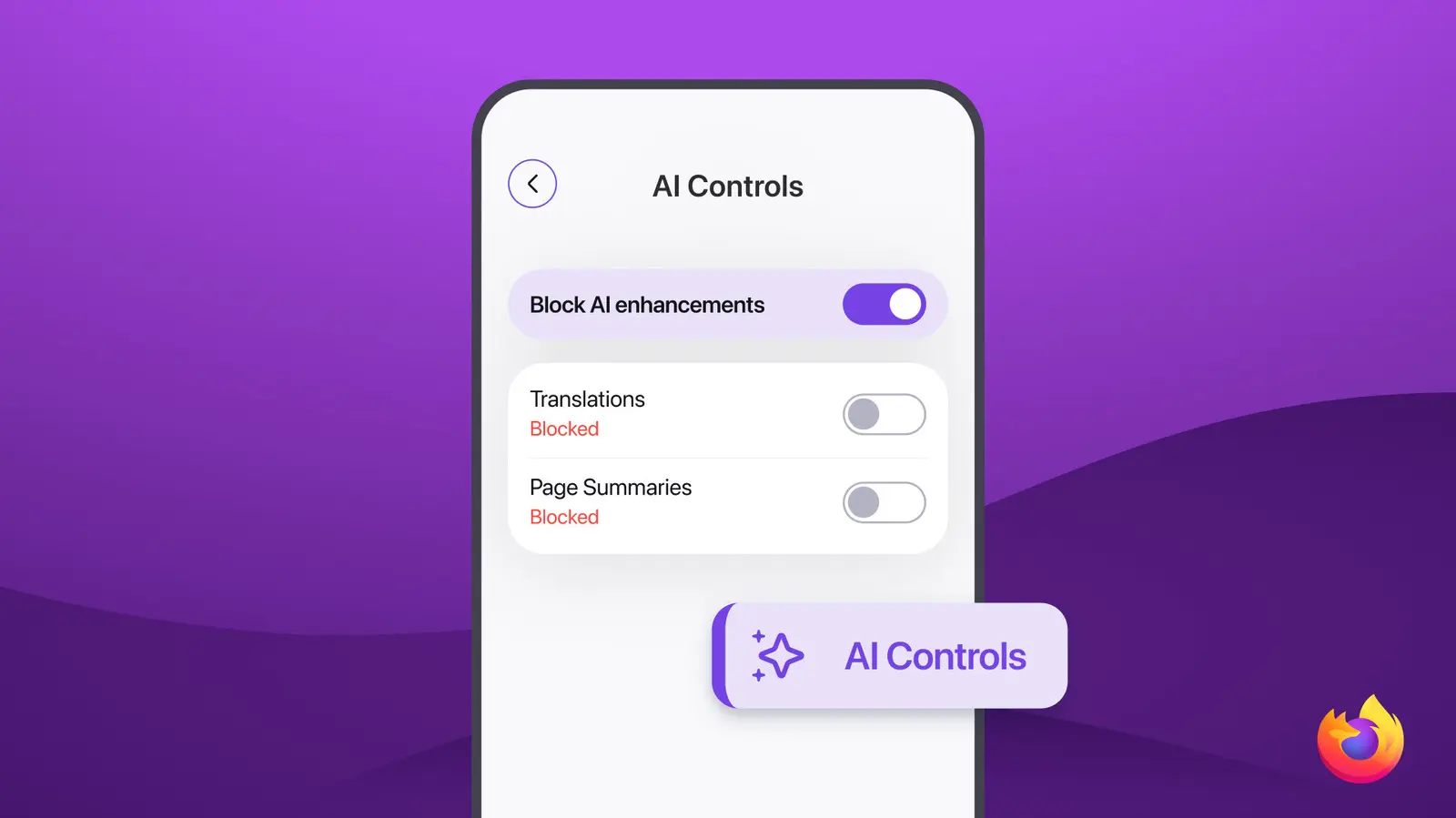
On a day when Google announced AI feature after AI feature at its annual I/O developer conference, Mozilla took a markedly different approach. The nonprofit’s Firefox 151 release, arriving today, brings granular AI controls to both iOS and Android systems. Users can now employ a binary toggle to turn off all generative AI features as a blanket setting, or they can pick and choose which specific AI capabilities are enabled. This level of user agency is rare among major tech companies, many of which are racing to embed AI into every corner of their products.
The new mobile controls extend a feature that debuted on the desktop version of Firefox in February 2026. Back then, the opt-out capability was welcomed by privacy advocates and users wary of the rapid, often unchecked integration of AI into everyday software. With the mobile release, Mozilla ensures that users on the go have the same control over their AI experience as those sitting at a desk. The move underscores the organization’s longstanding commitment to user privacy and transparency, values that have become increasingly distinctive in a tech landscape dominated by data-hungry giants.
Mozilla offers several potentially useful AI capabilities in Firefox, including real-time translation of web pages, voice search, and smart suggestions for tab management. Some of these features are part of the newest release, but the key differentiator is the ability to disable them entirely. This total opt-out capability is not common among competitors. For instance, Google’s Chrome browser integrates AI features like the “Help me write” tool and Lens-powered image search, but does not offer a single toggle to turn off all generative AI. Similarly, Microsoft Edge’s Copilot integration can be managed through separate settings, but a blanket AI off switch is absent.
The timing of Firefox 151 is particularly notable given the concurrent Google I/O event, where the search giant unveiled a slew of new AI capabilities for Android, Google Photos, and its productivity suite. While Google emphasized the benefits of AI—improved search, photo editing, and voice assistance—Mozilla’s release served as a quiet counterpoint, demonstrating that user control need not be sacrificed in the pursuit of innovation. The contrast highlights a growing divide in the tech industry between companies that view AI as an inevitable, all-encompassing layer and those that prioritize consumer choice and consent.
Mozilla’s approach to AI governance is not limited to browser features. The nonprofit has also been active in broader research and discussions around AI’s societal impact. Recently, it caught attention for its involvement in Anthropic’s Project Glasswing, an initiative that examines how AI can simultaneously create and solve problems in cybersecurity. As part of the project, Mozilla contributed insights from its own research on browser security and user behavior. The collaboration yielded compelling findings on how generative AI models can be used to both generate realistic phishing attacks and detect them more effectively. The organization’s participation further solidifies its role as a thought leader in responsible AI development.
Firefox’s new mobile AI controls are likely to be welcomed by a broad spectrum of users. For daily browsing, the ability to disable AI-based features such as automatic translation or voice search can reduce distractions and potentially improve battery life on mobile devices. More importantly, it gives users peace of mind that their data is not being processed by AI models without their explicit consent. For enterprises and institutions that deploy Firefox on employee devices, the blanket toggle simplifies compliance with data protection regulations like GDPR and CCPA, which require clear opt-in mechanisms for automated decision-making.
The adoption of AI in web browsers has been a gradual process. Firefox itself introduced non-generative AI features years ago, such as a built-in PDF viewer and password manager, without fanfare. However, the rise of generative AI—especially large language models like GPT-4 and Gemini—has accelerated the integration of more radical capabilities. Mozilla has been deliberate in its rollout, publishing a set of AI principles in early 2025 that emphasized human agency, transparency, and accountability. The mobile guardrails are a direct implementation of those principles.
Other browser makers have taken varied approaches. Apple’s Safari, for instance, has integrated on-device machine learning for features like Quick Look and Intelligent Tracking Prevention, but has been cautious about generative AI. Google’s Chrome is embedding its Gemini model across the browser, including a sidebar assistant and a “generate” button for email drafts. Microsoft Edge has aggressively pursued Copilot integration, even adding a dedicated button on the taskbar. In this landscape, Firefox’s opt-out control is a clear differentiator that appeals to privacy-conscious users.
The technical implementation of the toggle is straightforward. In Firefox for iOS and Android, users go to Settings, then AI & Privacy. There they find a master toggle labeled “Allow Generative AI Features.” Disabling it turns off all features that rely on generative models, including the page translation engine (which now uses a local small language model), voice search, and the “Smart Reply” feature for web forms. Individual toggles are also available for each listed feature. Mozilla has confirmed that the browser’s non-generative AI features—such as the password generator and tracking protection—continue to function independently of the AI toggle, as they do not involve generative models.
This release also benefits from Firefox’s open-source nature. Developers can inspect the code to verify that disabling the AI toggle actually prevents any data from reaching remote servers or being processed by on-device models. Mozilla has published a technical breakdown of the AI features and their data flows on its blog, reinforcing its commitment to transparency. The company has also committed to auditing all third-party AI frameworks integrated into Firefox for compliance with its privacy guidelines.
Looking ahead, Mozilla plans to expand the AI controls to include more granular options, such as the ability to allow only on-device AI features while blocking those that require cloud processing. The organization is also exploring a “privacy mode” for AI, where the browser would use only locally stored models and never send user data externally. These developments align with broader industry trends toward on-device processing, which reduces latency and enhances privacy.
Firefox 151 is not just about AI controls. The release also includes performance improvements, better support for progressive web apps, and updates to the browser’s password manager. However, the AI features are clearly the headline. In an era where AI is often portrayed as an unstoppable force, Mozilla’s emphasis on user choice serves as a reminder that technology can be both powerful and respectful. The mobile guardrails may be a small step in terms of features, but they represent a significant stance on the ethical deployment of generative AI.
As the debate over AI regulation intensifies, with governments in the European Union, the United States, and elsewhere crafting new laws, hands-on examples like Firefox’s toggle will become increasingly important. They provide a tangible model for what consumer-friendly AI governance can look like. Mozilla’s approach may not be as flashy as a new AI assistant or image generator, but it addresses a fundamental question: who controls the AI in your pocket? With Firefox 151, the answer is clear: you do.
Source: Engadget News