

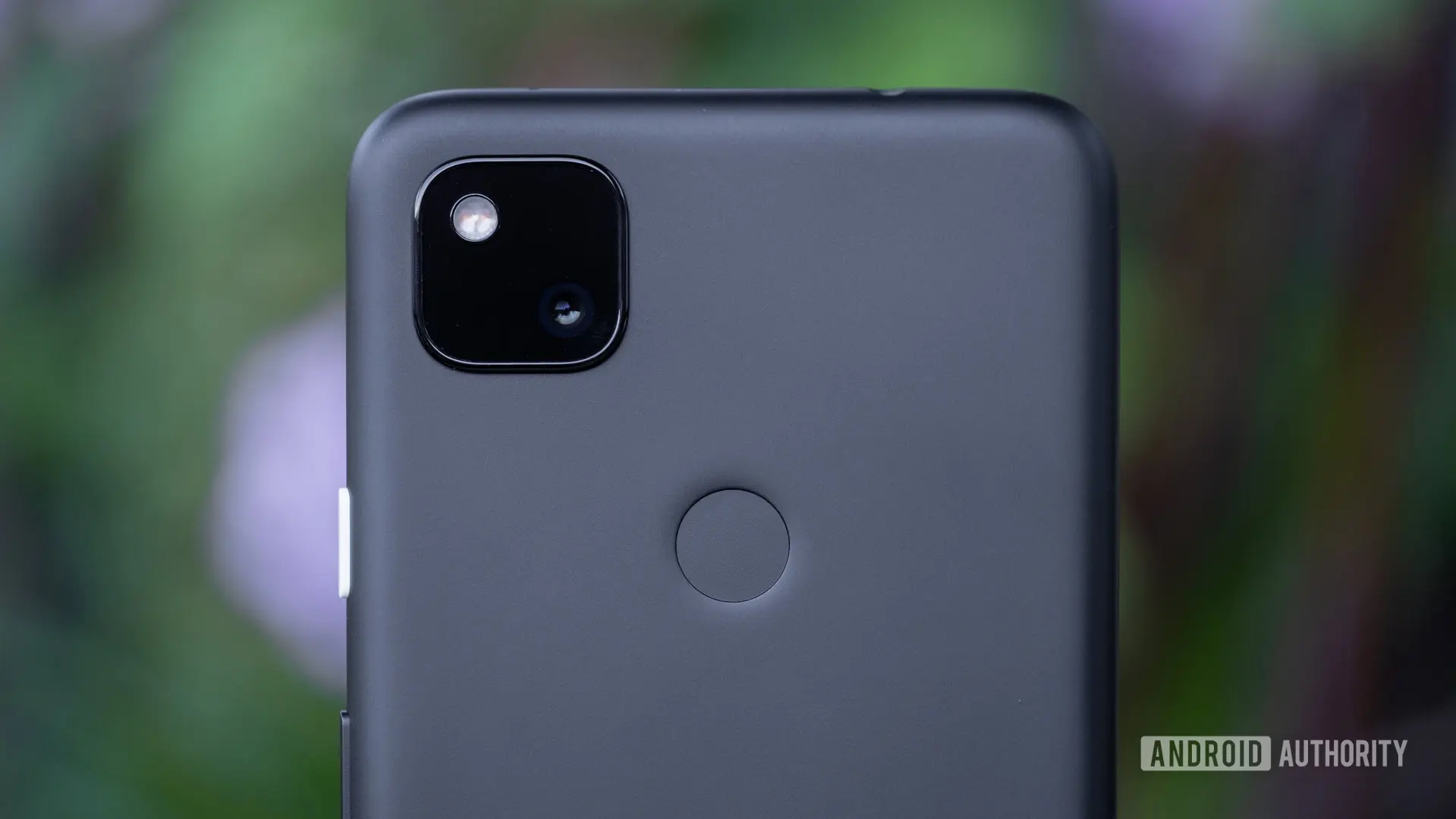
For any smartphone owner, few experiences are as maddening as a boot loop. Unlike a simple app crash or a frozen screen, a boot loop locks the device in an endless restart cycle, making it nearly impossible to troubleshoot or use. Over the past two months, owners of older Google Pixel devices—particularly the Pixel 4a—have been trapped in precisely this nightmare. However, relief has finally arrived. Google’s latest Play system update, rolled out in late July, appears to have resolved the bug once and for all.
Understanding the boot loop problem
The boot loop issue first gained widespread attention in late June 2026, when reports began flooding forums like Reddit and Google’s own support communities. Users described their Pixel 4, Pixel 4 XL, and Pixel 4a phones suddenly restarting repeatedly, often without any apparent trigger. Some devices would reboot every few seconds, never fully booting into the operating system. Others would stay just long enough to accept a password before crashing again. The problem affected a significant number of users, with some reporting that their phones became completely unusable.
Boot loops can stem from various causes: software glitches, corrupted system files, incompatible app updates, or even hardware failures. In this case, the culprit was traced to a conflict within the Android operating system’s underlying framework, likely triggered by a recent Google Play Services update. Because the boot loop occurred before the device could fully load the OS, manual interventions like factory resets or safe mode often failed to help. Many users were left with a bricked phone, staring at the Google logo blinking in and out of existence.
Google’s response and the road to a fix
Google acknowledged the issue in early July, issuing a statement that a fix was forthcoming. The company attributed the boot loop to a bug in the July Play system update and promised to push a corrective update as soon as possible. Play system updates are different from monthly security patches or quarterly feature drops. They are delivered through Google Play Services and can modify core system components without requiring a full OTA update. This approach allows Google to address critical bugs more quickly, but it also introduces risks, as seen with this incident.
For weeks, impacted users waited anxiously. The July Play system update was initially supposed to roll out in mid-July, but many devices did not receive it until late July. During that time, workarounds emerged. Some users found that disabling Wi-Fi before the phone reset allowed them to download the update over a cellular connection. Others temporarily managed to stop the boot loop by booting into safe mode and clearing the cache partition. These fixes were not permanent, but they bought time until the official patch arrived.
On July 28, reports began appearing on the Pixel 4a subreddit that the latest Play system update (version July 2026) had fully resolved the boot loop. Users who had been stuck for weeks were finally able to use their phones normally. The update reportedly stabilizes the system’s boot sequence, preventing the conflict that caused the endless restarts. Google has not published official release notes detailing the fix, but the user feedback is overwhelmingly positive.
Broader implications for older hardware
The Pixel 4a, launched in 2020, is now over six years old. It received its last guaranteed Android OS update with Android 13, but Google continues to provide security patches and Play system updates. This incident highlights the importance of long-term software support. While many manufacturers abandon older devices after two or three years, Google’s commitment to the Pixel 4a—even in 2026—demonstrates a dedication to maintaining a usable experience for all users. However, it also raises questions about the reliability of Play system updates. Because these updates can modify core system functions, they carry a higher risk of introducing regressions. Google must balance speed of delivery with thorough testing, especially on aging hardware.
From a technical standpoint, the boot loop bug likely involved a race condition or memory corruption during the initial boot phase. Play system updates interact with low-level services like the Google Play Services daemon, which handles authentication, app updates, and background synchronization. A poorly timed update could have caused these services to enter an infinite loop, locking the device. The fix probably patches that specific pathway and adds additional error-handling routines to prevent future occurrences.
Step-by-step recovery for affected users
If you own a Pixel 4a, Pixel 4, or Pixel 4 XL and are still experiencing the boot loop, try the following steps:
- Disable Wi-Fi immediately: As soon as your phone restarts and shows the lock screen, swipe down to access the quick settings and turn off Wi-Fi. This prevents the phone from attempting to connect to a network and possibly triggering the loop.
- Check for updates manually: Go to Settings > Security & Privacy > System & Updates > Google Play system update. Tap “Check for update.” If the July 2026 update is available, download and install it.
- Use cellular data: If the update does not appear over Wi-Fi, try using your mobile data connection. Ensure you have a stable signal and enough data allowance.
- Force reboot to safe mode: If the phone is stuck in a loop, press and hold the power button and volume down button together for about 10 seconds. When the Google logo appears, release the power button but keep holding volume down until safe mode loads. In safe mode, try to perform a factory reset if needed, but note that this may not resolve the Play system update issue.
Most users report that simply installing the July Play update over a cellular connection fixes the problem without data loss. However, if your phone continues to crash after the update, a factory reset might be necessary—though this should be a last resort.
The human impact of boot loops
Beyond the technical details, the boot loop saga has real consequences for users. Imagine relying on your phone for daily communication, navigation, and work, only to have it rendered useless without warning. Many Pixel 4a owners turned to community forums, social media, and even Google support tickets, often receiving little more than generic troubleshooting advice. The frustration was palpable. Some users reported being unable to access two-factor authentication apps, locking them out of bank accounts and email. Others lost precious photos because they had not backed up their data. While Google eventually fixed the issue, the two-month delay left a bitter taste for many loyal customers.
This incident also serves as a reminder of the importance of regular backups. Cloud backup services like Google Photos and Google One can automatically save your data, but they rely on the phone being functional. A boot loop can prevent any backup from occurring. Users should consider periodic manual backups to a computer or external drive, especially if they rely on older devices.
For now, the crisis is over. The Pixel 4a and its siblings are back in action, and Google’s Play system update mechanism has proven its ability to deliver critical fixes even to legacy hardware. While the process was not smooth, the outcome is positive. As the tech world moves toward longer support cycles—some Android manufacturers now promise seven years of updates—incidents like this will test the resilience of those promises. Google’s response, though slow, ultimately vindicates the Play system update model. The company just needs to ensure that future rollouts are more thoroughly tested and communicated.
The Pixel 4a remains a beloved device among budget-conscious users, and this fix ensures it can continue to serve them for months or years to come. If you have not yet received the update, be patient—it is rolling out worldwide. And once installed, you can finally put the boot loop nightmare behind you.
Source: Android Authority News