
Microsoft has begun rolling out Windows 11 version 25H2, the latest feature update for its flagship operating system. This release builds on the foundation laid by previous versions, focusing heavily on artificial intelligence, system performance, and user customization. While the update may not radically overhaul the user interface, it polishes existing experiences and adds several tools designed to make daily computing more efficient. For anyone running Windows 11, understanding what 25H2 brings is essential for deciding when and how to upgrade.
What is Windows 11 version 25H2?
Windows 11 version 25H2 is the annual feature update for 2025. Following Microsoft's new release cadence, this version is named after the second half of the year (H2) and serves as the primary upgrade for Windows 11 users. Unlike smaller monthly patches, 25H2 introduces substantial new features, interface refinements, and under-the-hood improvements. It is a full OS update that requires a system restart and often changes the build number significantly. Microsoft has positioned this release as a bridge toward more AI-driven computing, with several features relying on neural processing units (NPUs) or cloud-based services.
Release date and availability
Microsoft officially announced Windows 11 version 25H2 in late 2025, but the rollout has been staggered to ensure stability across the vast ecosystem of devices. The update began appearing on eligible Windows 11 PCs in early October 2025, following a brief period of testing with Windows Insiders. As with previous feature updates, the rollout is gradual. Some users may see the update in Windows Update immediately, while others might wait weeks or months. Microsoft uses machine learning to detect devices with known compatibility issues and pauses updates for those machines until drivers and apps are ready.
Key new features
Windows 11 25H2 is packed with improvements, but a few stand out as particularly transformative. Below are the most significant additions and changes.
AI-powered assistant and Copilot improvements
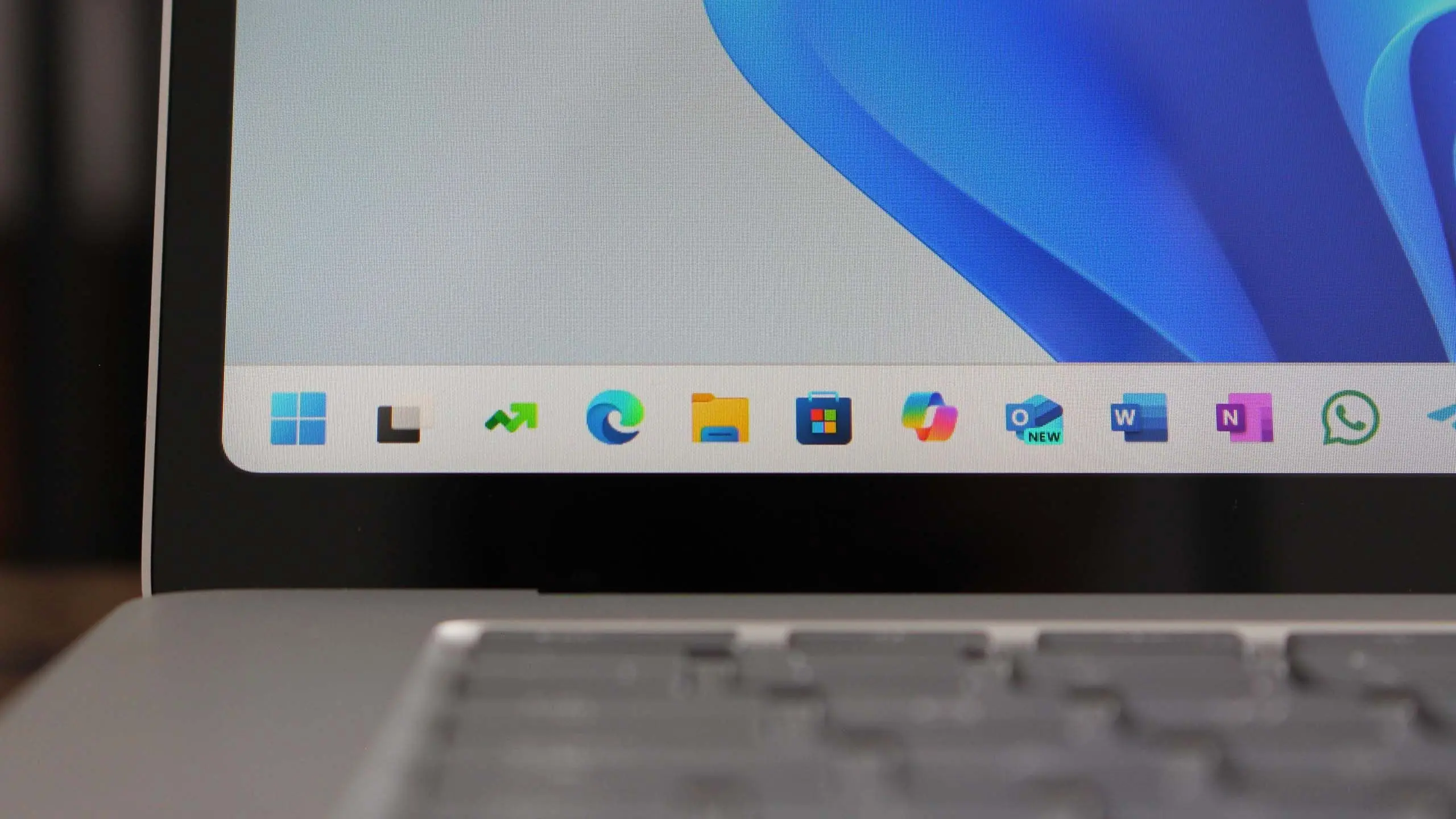
The most talked-about feature in 25H2 is the deeper integration of Microsoft Copilot. The AI assistant now lives directly in the taskbar and can be summoned with a single click or a keyboard shortcut. Copilot can answer questions, draft documents, summarize web pages, and even control system settings through natural language. For example, users can say, “Turn on night light and focus mode,” and Copilot will execute both actions. The AI also understands context better, so it can reference previous conversations and files. On devices with an NPU, some Copilot tasks run locally, reducing latency and maintaining privacy.
Redesigned Start menu and taskbar
The Start menu has received subtle but useful changes in 25H2. Microsoft has introduced a new “Recommended” section that displays recently opened files, apps, and websites based on your usage patterns. You can now pin and organize apps into folders directly from the Start menu, and the overall layout is more customizable. The taskbar now supports drag-and-drop for apps between different monitors and includes a new “Show desktop” button at the far right, which some users had requested for years. System tray icons are also more legible, and users can adjust them with greater granularity.
Enhanced File Explorer
File Explorer gets a fresh coat of paint and new functionality. The most noticeable change is the redesigned address bar and search box, which now supports natural language queries. You can type “photos from March” and the system will surface matching files. Additionally, a new “Gallery” view automatically organizes images and videos from your PC and OneDrive into a timeline. This makes it easier to find media without navigating through multiple folders. For power users, the copy and move dialogs now show more detailed progress information, including transfer speed and remaining time.
Security and privacy upgrades
Security remains a top priority in 25H2. Microsoft has integrated phishing protection directly into Windows Defender, which now alerts users when they type their credentials into known malicious websites. The update also brings improved hardware-based isolation for sensitive data, and BitLocker encryption is automatically enabled on supported devices. Additionally, the operating system now requires more robust authentication for critical system changes. Windows Hello has been upgraded to support passkeys more seamlessly, allowing users to sign in with a PIN, fingerprint, or face scan instead of passwords.
Performance and battery life improvements
Microsoft claims that 25H2 delivers noticeable performance gains, especially on newer hardware. The update improves the efficiency of background processes, reducing CPU usage by up to 15% in some scenarios. For laptops, battery life is extended thanks to smarter power management that adapts to individual usage patterns. Windows also better handles low-memory situations by compressing and optimizing pages, which is particularly helpful on devices with 8GB of RAM or less. Gamers will appreciate the new auto HDR refinements and a more stable frame rate in DirectX 11 games.
How to get the update
If you are eager to install Windows 11 version 25H2, the simplest way is to go to Settings > Windows Update and click “Check for updates.” If Microsoft has approved your device, the update will appear as “Windows 11, version 25H2” and you can download and install it manually. For those who prefer a clean install, the Windows 11 Installation Assistant and Media Creation Tool are also available on Microsoft's official website. It's recommended to back up important files before upgrading, and ensure your drivers are up to date.
Compatibility and system requirements
Windows 11 25H2 does not raise the minimum hardware requirements from earlier versions. You will still need a compatible 64-bit processor, 4GB of RAM, and 64GB of storage, as well as TPM 2.0 and a secure boot-capable motherboard. However, some AI features like local Copilot processing require an NPU or a modern GPU with dedicated AI accelerators. Microsoft has published a list of supported CPUs, and devices that already run Windows 11 will be eligible for 25H2 unless severe compatibility issues are detected. The update also supports ARM-based devices, including those with Snapdragon and newer Apple silicon via virtualization.
Potential issues and fixes
As with any major update, there are a few known issues in 25H2. Some users have reported problems with certain older printers and audio drivers. Microsoft has acknowledged these bugs and is working on patches. In response, the company has put temporary blocks on specific device models to prevent upgrade failures. If you encounter problems after installation, you can roll back to the previous version within ten days by going to Settings > System > Recovery. For ongoing issues, Windows Update will automatically download cumulative updates that address these problems over time.
As Microsoft continues to refine Windows 11, users can expect further enhancements over the coming months. The 25H2 release marks an important step in the evolution of the operating system, blending AI convenience with traditional desktop functionality. Whether you upgrade immediately or wait for the rollout to stabilize, this update offers a compelling set of features that align with the future of personal computing.
Source: Windows Central News