
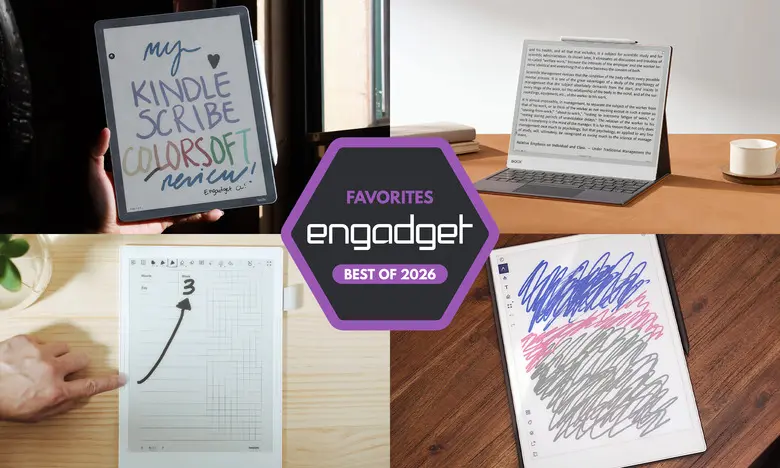
E Ink tablets have become far more than just e-readers. Today, they offer paper-like displays for note-taking, document markup, and distraction-free reading. After testing many of these devices, we've identified the best E Ink tablets for 2026, whether you need a simple writing slate or a full-featured Android-powered notebook.
The appeal of an E Ink tablet lies in its low-power, reflective screen that mimics printed paper. This makes it comfortable for extended reading sessions and provides a tactile experience for handwriting with a stylus. While traditional tablets like the iPad have better color and refresh rates, E Ink devices excel when you want to focus on writing or reading without the glare and distractions of a conventional screen. Below are our top picks based on hours of hands-on testing.
Best E Ink tablets for 2026
Best overall: reMarkable 2
The reMarkable 2 remains our top recommendation because it offers the best balance of build quality, performance, and ease of use. This 10.3-inch monochrome digital paper display sits in a slim, elegant chassis that weighs less than a pound. The writing experience is exceptionally responsive, with low latency that feels close to actual pen and paper. The tablet supports PDF and EPUB files, and you can add documents using Google Drive, OneDrive, Dropbox, or a companion Chrome extension for sending online articles directly to the device. The software is streamlined and easy to learn, offering folders, notebooks, and a variety of brush settings. Handwriting recognition can translate your scribbles into typed text with surprising accuracy. The main downside is price: a base bundle costs $399 without the optional Marker Plus, and a Connect subscription is required for unlimited cloud storage and mobile syncing. However, new owners get a one-year free trial.
Best premium: reMarkable Paper Pro
If you want a larger, more powerful E Ink tablet with a color display, the reMarkable Paper Pro is worth the premium. Its 11.8-inch Canvas Color screen can render 20,000 colors, and the upgraded processor makes navigation and page refreshes noticeably faster than on the reMarkable 2. The device also adds a front light, so you can work in darker environments. The writing latency is nearly undetectable, and the build quality is superb with a slim profile. Like the cheaper reMarkable, this tablet focuses on distraction-free writing and reading, with support for PDF and EPUB. It lacks a keyboard folio option but remains one of the most polished E Ink tablets available. At $629, it's expensive, but for those who prioritize a premium experience, the Paper Pro delivers.
Best e-reader and note-taking combo: Amazon Kindle Scribe
The Kindle Scribe is the best E Ink tablet for people who live inside Amazon's Kindle ecosystem. The latest model features an 11-inch display with improved front lighting and a much faster processor. You get a near-instant response when writing, and the included premium pen attaches magnetically to the side. The Scribe lets you mark up Kindle books (with some limitations), write sticky notes, and create standalone notebooks. Amazon's AI Search can scan your notes for keywords, though it's still hit-or-miss in our testing. The new Home page offers quick access to notes and recent titles. If you already own a large Kindle library, the Scribe makes annotation and long-form reading easy. Pricing starts at $500 for the version with the front light, or $430 for a more basic model without one. A color version, the Kindle Scribe Colorsoft, costs $630.
Best for advanced note-taking: Supernote A6 X2
Supernote has carved out a niche for note-taking enthusiasts who want customization and repairability. The A6 X2 (also called the Nomad) has a 7.8-inch screen, making it more portable than most rivals. The writing feel is exceptionally smooth thanks to the FeelWrite 2 screen protector. You can create custom page templates, use a variety of notebook layouts, and take advantage of powerful organizational tools like text recognition, keywords, and star bookmarks. The device runs a simple operating system with support for PDF, EPUB, Word, and more. There's no front light, and you'll need to buy a stylus separately. The Nomad costs $299, with pens starting at $89. A larger Supernote Manta A5 X2 offers a 10.7-inch display for $505. Both have user-replaceable batteries and microSD expansion, which is rare among E Ink tablets.
Best color option with Android: Onyx Boox Note Air4 C
The Onyx Boox Note Air4 C is a versatile 10.3-inch color E Ink tablet that runs Android 13. That means you can download apps from the Google Play Store, including Kindle, Kobo, and various note-taking tools. It includes a stylus in the box and offers low-latency handwriting with colored ink options in the native notebook app. The display uses Kaleido color technology, adding a useful but slightly muted color palette. You can add shapes, use a variety of templates, and export notes as PDF or PNG. Because it's Android-based, you can also browse the web and watch videos, though the E Ink screen isn't ideal for fast-moving content. The Note Air4 C costs around $529, making it pricier than many rivals, but the flexibility of Android and color support are strong selling points. Boox has also released the Note Air 5C with Android 15 and keyboard cover support; we'll update this guide after our ongoing tests.
Best big-screen choice: Onyx Boox Note Max
If you want maximum screen space, the Onyx Boox Note Max features a huge 13.3-inch E Ink Carta 1300 display with a ultra-sharp 300 dpi resolution. It's ideal for writing, reading A4 documents, and viewing complex layouts. The large canvas makes note-taking and doodling feel expansive, and apps like Calendar Memo use the screen efficiently for daily and monthly logs. It runs Android 13 with Google Play access, so you can add all your preferred apps. The Note Max includes an stylus and a protective cover in its $689 price. The main trade-offs are the lack of a front light and the higher cost. For those who prefer a legal-pad size writing surface, this is an outstanding choice.
Honorable mentions
reMarkable Paper Pro Move
A more compact version of the Paper Pro, the reMarkable Paper Pro Move has a 7.3-inch Canvas Color display and a more portable body. It shares the same software experience and excellent build quality. It costs $449 and includes the standard marker. There's no keyboard folio option, but for field notes and small notebooks, it's a solid alternative to larger models.
Kobo Libra Colour
The Kobo Libra Colour is an e-reader with a 7-inch color E Ink display and optional stylus support. It has buttons for page turning and a premium build quality. If you want to write in the margins of ebooks and use notebooks, the $70 Kobo Stylus adds functionality. The device integrates Dropbox and Google Drive, making it easy to export notes. At $219, it's a budget-friendly entry into the E Ink tablet world, though the screen is smaller than the top picks and the stylus is extra.
Are E Ink tablets worth it?
E Ink tablets are worth it for a specific audience. If you prefer the look of e-paper and enjoy handwritten notes without the need for a fully-featured computer, these devices offer a focused experience. They are also wonderful for reading without eye fatigue. However, they are not replacements for ordinary tablets. Most lack robust color, high refresh rates, and access to all your favorite mobile apps. The biggest advantage is the ability to reduce distractions from social media and email. If your main goal is to write and read for long periods, an E Ink tablet can be a worthwhile investment.
What to look for in an E Ink tablet
Writing and latency
The writing experience is the most important factor. Look for a stylus with low latency and natural pressure sensitivity. Many top models have almost zero lag, but some are noticeably better. Check whether a stylus is included or must be purchased separately.
Reading and file support
Consider what file formats you need. Most E Ink tablets support PDF and EPUB, but if you buy ebooks from Amazon or Kobo, choose a device from that ecosystem or a model running Android so you can install reading apps. Larger screens are better for writing and reading documents but can be cumbersome during long sessions.
Search and organization
Handwriting recognition and keyword search vary. Some devices let you convert handwritten notes to text and bookmark important pages. Amazon and Kobo automatically link notes to the page where you wrote them. If you plan to revisit notes often, choose a model with robust search features.
Connectivity and sharing
All E Ink tablets have Wi-Fi, but cloud syncing and companion apps differ. Some require subscriptions for unlimited cloud storage. Check if you can export notes by email or integrate with services like Google Drive or Dropbox. This is crucial if you want to access your notes on your phone or computer.
Price and value
E Ink tablets generally cost between $300 and $800. Smaller models tend to be cheaper, and stylus support isn't always included. Prices have risen recently due to increased operational costs, and you should compare bundle options that include pens, covers, or keyboard cases.
Ultimately, the best E Ink tablet for you depends on your specific habits. If you mainly want a distraction-free notepad and reader, look at the reMarkable 2 or Kindle Scribe. If you want vivid color, Android flexibility, or a larger canvas, explore Boox models. For a compact and customizable note-taking companion, Supernote delivers. By considering the write-up above, you can find an E Ink tablet that fits your budget and workflow.
Source: Engadget News